


Answering Incoming Calls
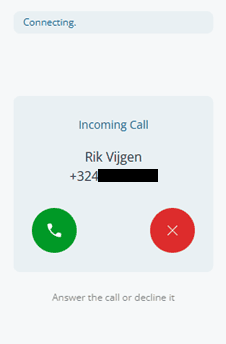
When somebody calls you, the dialpad shows an Incoming Call panel with the caller's name (if known from contacts) and number.
| Button | Color | Action |
|---|---|---|
| Answer | Green | Picks up the call and switches to the in-call view. |
| Reject | Red | Rejects the call. Caller is disconnected (or routed onward by the PBX, e.g. to voicemail). |
Already in a call?
If a second call arrives while you are talking, a compact ongoing call bar appears with the same green Answer / red Decline buttons. Answering the second call automatically puts the first call on hold.