


Conference Calls (3-way)
A conference connects you with two other parties so all three can hear each other.
1
While on a call, tap Conference. A search panel appears.
2
Search for or type the second participant's number, then tap Call. Your original call stays connected — it is not put on hold automatically.
3
The system dials the second participant. Status moves through "Conference setup" → "Ringing conference target" → "Conference target connected".
4
Once the second participant answers, tap Join Conference. All three of you are now bridged.
While the conference is active
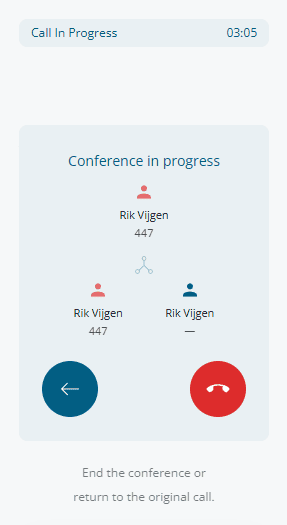
The conference view shows a triangle of three nodes: you at the top, the two participants at the bottom. Names and numbers are shown with presence colors when available. Buttons:
- Back to original call — Drops the second participant and returns to the original 2-way call.
- Hang Up — Ends the entire conference (drops both participants).
Cancel during setup
If the second participant doesn't answer or you change your mind, tap Cancel in the footer. You will return to your original call.